
Quick answer: There is no single best AI video generator for every creator. Google Flow is worth checking for its published daily credits; Kling is a candidate for reference-led, multi-shot stories; Runway combines generation with editing tools; Adobe Firefly fits creators already working in Adobe; and Hailuo/MiniMax offers API pricing by output second. Compare the exact model and plan you can access, then test a few clips before subscribing.
A note about the year: This guide carries a 2027 title for creators planning ahead, but its research snapshot is 1 November 2026. It does not claim that every named model, feature, price, or free allowance will remain available in 2027. Confirm details on the provider’s official site before you buy.
Choosing a text-to-video or image-to-video tool is not just about which sample looks most cinematic. A useful comparison also asks: How long can a clip be? Does it generate synchronized sound? Can it keep a character or product recognizable across shots? What does a usable clip cost after retries? Can you access the service in your country, and do your plan terms permit your intended use?
This guide compares AI video generation models and creator platforms using information available on the date above. It is not a hands-on test or a head-to-head benchmark. Claims from vendors, official documentation, and third-party reporting are distinguished; uncertain details are marked rather than presented as fact.
Best AI video generators at a glance#
| Creator need | Models to test first | Why they may fit | Check before committing |
|---|---|---|---|
| Free experimentation | Google Flow; Adobe Firefly | Both describe free access or daily generations; Flow’s help page specifies 50 daily credits | Country access, generation limits, model eligibility, and commercial terms |
| Short stories and multi-shot scenes | Kling 4.0; Kling 3.0 | Kuaishou’s release describes longer single-pass output and reference controls for Kling 4.0 | Availability, actual clip limits, pricing, moderation, and plan terms |
| Film-like shots plus an editing suite | Runway Gen-4.5 | Generation sits alongside editing and performance tools | Credits per second, eligible plan, terms, and whether native audio is available |
| Product concepts and Adobe workflows | Adobe Firefly Video | Text/image-to-video and integration with Adobe creative apps | Confirm which model made the clip; partner-model terms can differ |
| API-based generation with clear per-second pricing | MiniMax H3 | MiniMax publishes API video prices by resolution and output second | App and API features differ; check current rates and regional access |
| Local generation with open weights | Wan 2.2; HunyuanVideo 1.5 | Downloadable model weights offer more deployment control | License, hardware, setup effort, and operating costs |
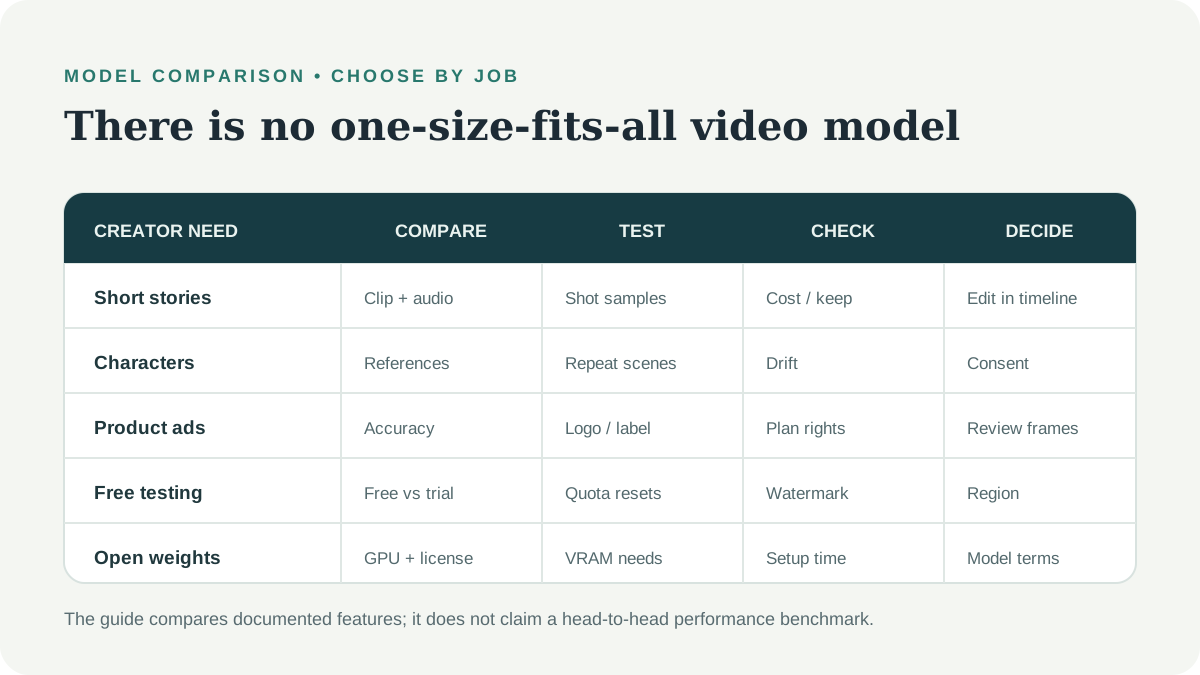
These are starting points, not winners from a controlled test. The strongest choice depends on your prompt style, output format, budget, commercial rights, and how much editing you plan to do.
What is an AI video generator?#
An AI video generator turns a prompt, an image, or other supported references into a sequence of frames. Text-to-video AI starts with a written description. Image-to-video AI animates a still image, which can help establish a character, product, or composition before motion is added.
Keep three distinctions in mind:
- Model vs. platform: Veo, Kling, and Gen-4.5 are model names; Flow, Kling’s app, and Runway are ways to access models. A platform may also offer partner models, with different controls and terms.
- Credits vs. clips: A credit balance is not a clip count. Costs can vary by model, duration, resolution, speed tier, and failed generations.
- References vs. guaranteed consistency: Reference images and keyframes can guide a result, but they do not guarantee that a face, product, or outfit will match perfectly across every frame.
What to compare before choosing#
- Clip length and shot structure: Can the tool make the duration you need in one pass, or will you edit several short clips together?
- Audio: Is speech or ambient audio generated, and can you control or replace it?
- Reference controls: Can you supply character images, product shots, or keyframes?
- Cost per usable result: Include retries, resolution upgrades, taxes, and annual billing—not only the advertised monthly fee.
- Free access: A daily allowance is different from one-time trial credits.
- Rights and watermarking: Read the exact plan terms and check whether output can be used in your project.
- Availability: Check the official supported-country list and payment options for your location.
AI video models compared: features, strengths, and limits#
The details below describe reported availability around 1 November 2026. Features and pricing change quickly. Where the source material was a third-party review rather than official documentation, the claim is labeled accordingly.
Google Veo 3.1 and Flow#
Google Flow is a place to explore Google’s video-generation tools. Google’s Flow credits help page lists 50 credits per day for users without a subscription, with extra monthly credits for eligible Google AI plans. Credits are shared across the account, and the amount required depends on the model.
The research snapshot describes Veo 3.1 options in Flow and short generated clips; a third-party Flow guide reports 4-, 6-, and 8-second options, with Quality limited to 8 seconds. Treat those durations and credit calculations as a snapshot, not a guarantee. A Flow credit count alone cannot tell you how many clips you will get without checking the selected model and settings.
Best fit to test: creators who want to experiment with Google’s generation workflow and can access Flow in their region.
Before paying: verify current model choices, credits, resolution, queue availability, SynthID/provenance behavior, and whether the plan grants the commercial use you need.
Gemini Omni Flash: reported video editing capabilities#
The research notes describe Gemini Omni Flash as a multimodal model for conversational video editing, with short clip generation and synchronized audio reported by secondary sources. The launch summary from WaveSpeed distinguishes announced capability from what was available at launch; the draft research also notes that some audio and speech editing was not available at that point.
Because feature status and access routes may differ between the Gemini app, Flow, and developer APIs, verify the specific product surface before planning a project around it.
Best fit to investigate: creators who want to revise a clip through natural-language instructions rather than only generate from a first prompt.
Runway Gen-4.5#
Runway combines generation with a broader creative toolset. The supplied research describes Gen-4.5 text-to-video and image-to-video clips, plus separate tools such as Aleph and Act-Two in the platform. A third-party price analysis reports credit-based costs for Gen-4.5; check Runway’s current interface because credit rates and plan eligibility can change.
Runway’s commercial-use help page says creators retain their rights to content they create and may use it commercially without a non-commercial restriction from Runway. That statement does not replace the full Terms of Use, third-party rights checks, or legal advice.
Best fit to test: editors who value generation and post-production controls in one platform.
Trade-off: calculate the cost of the finished shot after iterations, and verify whether the exact model you select generates audio natively.
Kling AI 4.0 and 3.0#
Kuaishou’s Kling 4.0 release, reported by Bernama, describes up to 30 seconds in one pass and Omni Reference controls for multiple assets and keyframes. A follow-up report says a two-minute extension and developer API access were announced as forthcoming, not released in that announcement (Bernama follow-up).
For Kling 3.0, secondary coverage describes shorter clips, native audio, and multi-shot scenes. Pricing reports conflict: sources cited in the research range from $6.99 to $10 a month. Check Kling’s official product and terms instead of relying on a reseller or an older price roundup.
Best fit to test: creators who need reference-led scenes or want to plan short stories as multiple shots.
Trade-off: check content rules, commercial rights, supported regions, watermark behavior, and official API availability. Use the official service domain; avoid lookalike download sites.
Hailuo AI and MiniMax H3#
Hailuo is MiniMax’s consumer-facing video product; MiniMax also publishes developer API pricing. Its video pricing documentation lists H3 output at $0.13 per second for 2K and $0.08 per second for 768p in the research snapshot. The same page describes other speed and Lite tiers. API rates are not the same thing as a consumer subscription price.
Third-party reporting describes H3 with image, video, and audio references and clips up to 15 seconds. Treat those product details as reported until confirmed in the current Hailuo interface or official documentation. The supplied research also says the app’s free credits were a one-time trial rather than a recurring free allowance.
Best fit to test: technically minded creators comparing API billing or reference inputs.
Trade-off: verify whether the feature you need is in Hailuo’s app or the API, whether the model is available in your country, and which usage terms apply.
Luma Dream Machine and Ray models#
Luma’s model naming and feature coverage changed across the third-party sources reviewed. The research mentions Ray 3.x variants, image/video input, editing, and lip-sync features, but version-specific details were not consistent. Its plan prices and permanent-free-plan status were also based on third-party reviews rather than a verified dated official price capture.
Best fit to investigate: creators already using Luma’s editing workflow who want to compare model versions inside the current product.
Before subscribing: verify the exact model name, input modes, output resolution, credit multipliers, renewal price, and commercial-use terms on Luma’s own pricing and product pages.
Adobe Firefly Video#
Adobe Firefly supports text- and image-based video creation within an Adobe-oriented creative workflow. Adobe’s Firefly page describes its own models as designed for commercially safe use and distinguishes them from partner models available in the Firefly app. Adobe’s own claims do not guarantee that every generated asset is cleared for every use or jurisdiction; review the terms and your project’s rights requirements.
The research snapshot describes short Firefly-generated clips and daily free generations, but did not verify every allowance or plan limit. A third-party pricing article reports costs that vary with resolution; check Adobe’s current credit table before estimating campaign spend.
Best fit to test: Adobe users producing concepts, B-roll, or assets that will continue through Premiere and other creative apps.
Trade-off: confirm which model generated the video. Partner-model terms and training or commercial-use policies may differ from Adobe’s own model.
Open-weight options: Wan and HunyuanVideo#
If you have the hardware and technical time, open-weight models can offer more control over where generation runs. The research distinguishes Wan 2.2, described as having downloadable weights under Apache 2.0, from Wan 3.0, which third-party reporting described as a closed, API-only beta at the snapshot date. Do not assume that a hosted model and a downloadable model share the same license or capabilities.
Tencent’s HunyuanVideo 1.5 model card describes an 8.3-billion-parameter model and links to its code, weights, and license. Read the actual model and code licenses before using it commercially; a community license may have additional conditions.
Best fit to test: developers with a capable GPU, experience with model deployment, and a use case that benefits from local control.
Trade-off: the weights may be free to download, but GPU hardware, electricity, storage, setup, and maintenance are not free.
Free AI video generators vs. paid plans#
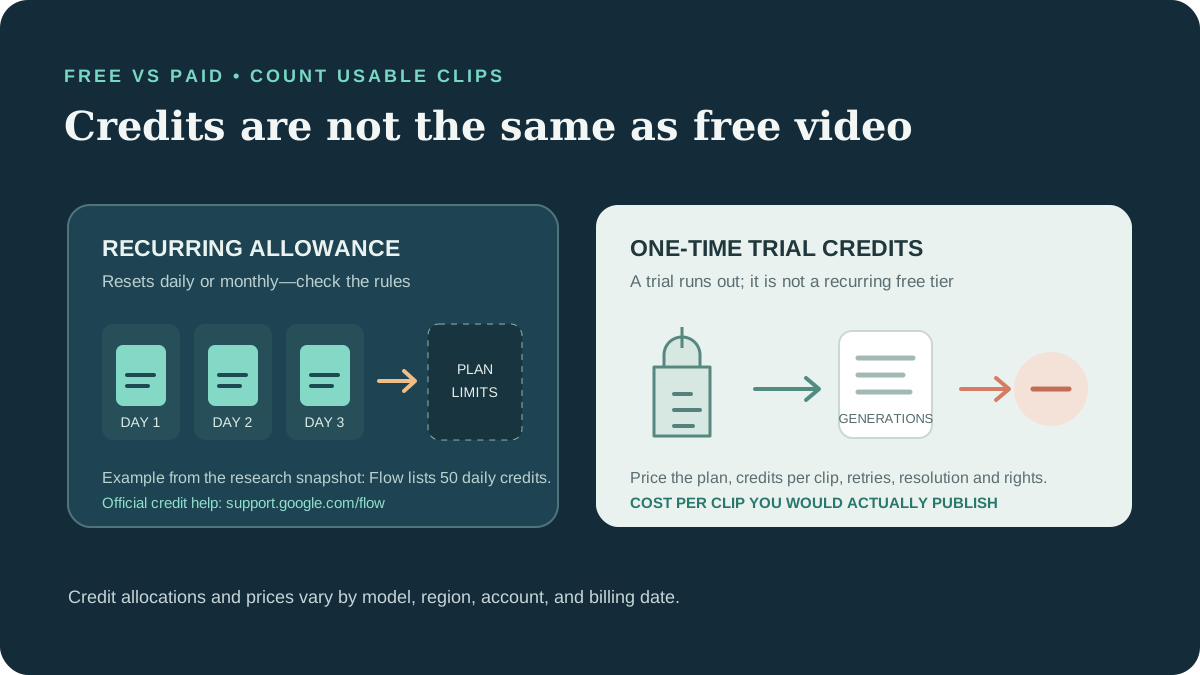
“Free” can mean a daily credit allowance, a limited free plan, a short trial, or free downloadable weights that need your own GPU. These are not interchangeable. The table summarizes the 1 November 2026 research snapshot; verify today’s terms before relying on it.
| Service | Free access described in the research | Important catch | Paid-cost context |
|---|---|---|---|
| Google Flow | 50 daily credits listed in Google’s help page | Model credit costs differ; generation availability can vary | Google AI plans add monthly credits; check regional plan prices |
| Adobe Firefly | Daily free generations described by Adobe | Exact allowance and output limits can change | A Standard plan price was reported at $9.99/month; confirm Adobe’s current local price |
| Kling AI | A free Basic tier and daily credits reported by third parties | Credit counts conflict; watermark and commercial terms need checking | Reports ranged from $6.99–$10/month |
| Runway | One-time trial credits reported | A trial is not a recurring free plan; higher model access may require a paid plan | Standard was reported at $15 monthly or $12/month with annual billing |
| Hailuo / MiniMax | One-time app trial credits reported | Do not treat introductory credits as a recurring allowance | App subscriptions and API per-second rates are separate |
| Luma | No permanent free plan reported on the reviewed pricing page | Older free-tier articles conflicted with the research | Third-party reviews quoted a $30/month Plus plan |
| Wan / HunyuanVideo | Weights can be downloaded under model-specific terms | Requires compatible GPU, setup, and license review | Hardware and operation are your cost |
The listed subscription figures come from the research notes and third-party price pages; they are not a live price feed. Runway’s annual price, for example, requires annual billing, and regional prices or taxes can differ.
To compare plans fairly, estimate:
Cost per usable clip = total plan and generation cost ÷ clips you would actually publish
Include retries, longer duration, higher resolution, watermark removal, and editing time. A plan with more credits may still be a poor value if the model takes many attempts to produce a usable shot.
Which AI video generator is best for your workflow?#
There is no independent head-to-head test of the exact model versions in this guide. These are use-case suggestions based on documented or reported features, not performance rankings.
| If you are making… | Start by testing… | What to evaluate |
|---|---|---|
| YouTube Shorts storytelling | Kling 4.0; Kling 3.0 as an alternative | Vertical framing, scene continuity, audio, moderation, and cost for a finished Short |
| A recurring fictional character | Kling 4.0 or MiniMax H3 | Face and wardrobe drift over multiple prompts; references do not guarantee consistency |
| Cinematic B-roll | Veo 3.1 or Runway Gen-4.5 | Camera movement, composition, revisions, and credit cost after retries |
| Product advertising | Adobe Firefly, Runway, or Kling | Packaging, logo, label, and product shape in every frame; then check commercial terms |
| Dialogue and lip-sync | Kling, Gemini Omni Flash, or a separately edited voice track | Speech accuracy, supported languages, consent, and sync after editing |
| A professional editing workflow | Runway or Adobe Firefly | How smoothly generation hands off to your editing tools and client review |
| Local model experimentation | Wan 2.2 or HunyuanVideo 1.5 | GPU capacity, setup time, license conditions, and maintenance cost |
| A no-cost first test | Google Flow or Adobe Firefly | Whether free access is currently supported in your region and whether the allowance covers your model |
Practical AI video workflows for creators#
Workflow 1: Make your first YouTube Short#
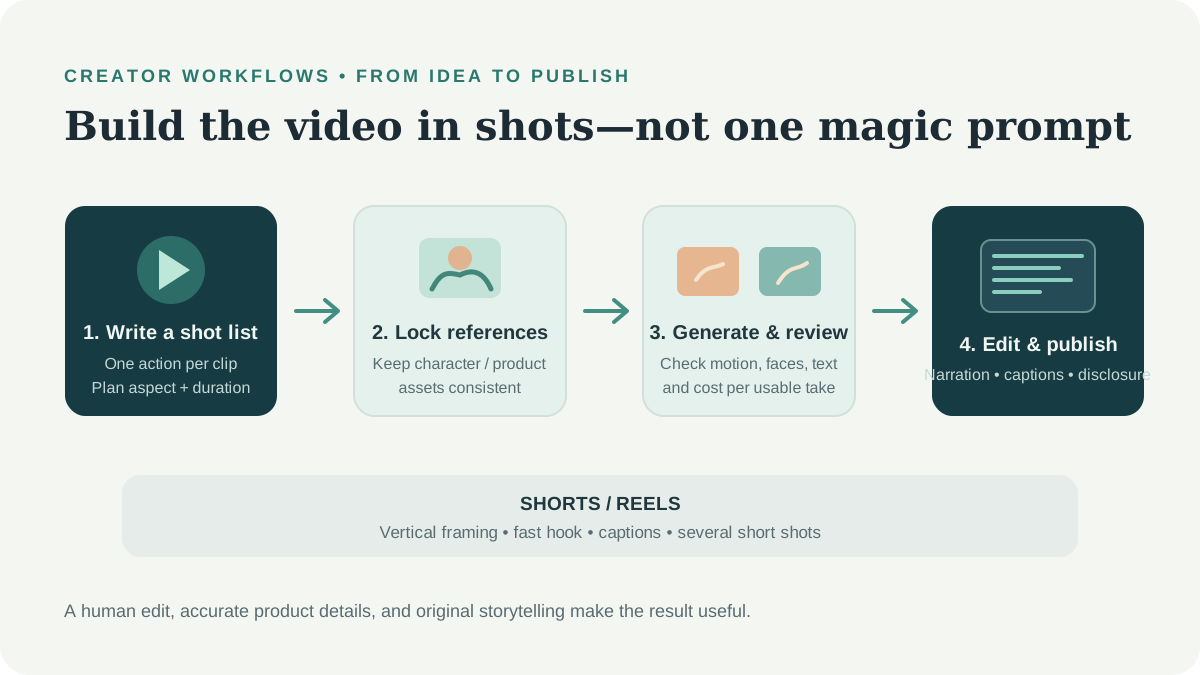
- Write a three- to five-shot outline before opening a generator.
- Choose one subject, one action, and one camera movement per shot.
- Create or select a reference still if the subject needs to recur.
- Generate a low-cost draft and check framing, motion, and visual continuity.
- Record or create narration separately if the model’s speech is not reliable enough.
- Assemble the clips in a video editor, add captions, and review the platform’s synthetic-media disclosure rules.
The goal is not to create every part in one generation. A good edit can make short clips feel like one intentional story.
Workflow 2: Plan a two- to five-minute AI-assisted story#
- Draft a shot list first; long-form edits may require many separate generations.
- Keep a character sheet and reuse approved reference images.
- Use a storyboard to track location, lighting, clothing, and camera position.
- Generate at a lower cost while exploring; render only selected shots at delivery quality.
- Expect continuity drift and budget time for manual cuts, sound, and color matching.
- Keep a backup model or conventional footage option in case a service changes availability.
Workflow 3: Create a recurring fictional AI character#
Use an original fictional character and a consistent set of approved references. Keep prompts and wardrobe details stable, but inspect every clip for changes in facial features, outfit, and voice. Do not copy a real person’s face or voice without permission, and do not create deceptive impersonations. Follow the platform’s labeling and disclosure rules.
Workflow 4: Produce a client advertisement#
Start from the real product image and use generated clips for motion or background concepts. Add the final logo, product text, price, and call to action in an editor, where they can be proofread and kept accurate. Before delivery, confirm the exact plan’s commercial terms and disclose which assets were AI-generated when the client or platform requires it.
Commercial rights, YouTube disclosure, and copyright#
A model’s output quality does not decide whether you can use it in a paid campaign. Read the terms for the model, platform, plan, and intended use:
- Runway: its commercial-use help page says Runway does not impose a non-commercial restriction on content created there. Read the linked terms for the full conditions.
- Adobe Firefly: Adobe describes its own model as commercially safe, while partner models can have different terms. Confirm the model source and current terms.
- Kling and free plans: the supplied research reports that free-tier commercial terms may differ from paid plans; confirm directly with Kling before use.
- Google and MiniMax: the research did not verify every plan’s commercial-use position. Do not infer permission from a free trial or API access.
- AI copyright: a provider’s permission to use a result is not the same as a guarantee of exclusive copyright, non-infringement, or legal protection.
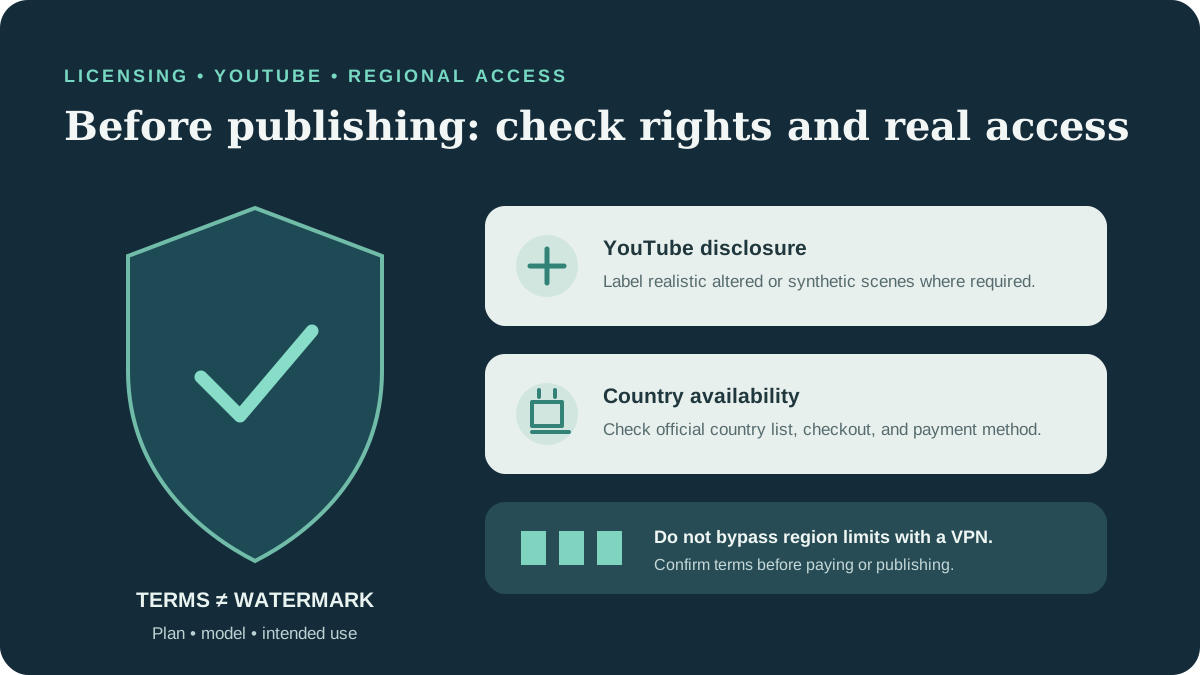
YouTube requires disclosure for realistic altered or synthetic content in certain cases, such as a realistic scene that did not occur or making a real person appear to say or do something they did not. Review YouTube’s disclosure guidance when uploading. Monetization is not guaranteed: originality, audience value, and current YouTube Partner Program policies still matter. Avoid mass-producing near-identical videos with minimal creative contribution.
Check availability in your country#
AI video tools can have different availability, features, payment options, and prices across countries. A service may be available while a specific model, API, or subscription benefit is not.
Before subscribing:
- Check the provider’s current supported-country list and product availability pages.
- Confirm that the exact video model or API—not just the general subscription—is available to your account.
- Check the final price, currency, taxes, renewal date, and accepted payment methods at checkout.
- Read the refund and commercial-use terms for the specific plan.
- Avoid unofficial resellers and do not use a VPN to bypass regional restrictions or service terms.
Google’s Flow credit page says non-subscribers receive daily credits, but generation may be unavailable at peak times and plan benefits vary. Check eligibility and feature access in the product for your account.
Common limitations to plan for#
- Short duration: Many generators produce short clips, so longer videos need editing and continuity work.
- Retry costs: A technically successful output may still be unusable; budget for discarded generations.
- Resolution costs: Higher resolution can consume more credits or incur higher API charges.
- Audio differences: Native sound, dialogue, multilingual support, and editing controls vary by model and version.
- Visual errors: Inspect hands, faces, logos, packaging text, scene continuity, and cause-and-effect frame by frame.
- Watermarks and provenance: A visible watermark and an invisible provenance marker are different; review what the provider adds.
- Changing products: Model versions, credit rates, free plans, and terms can change without older comparison pages being updated.
- Content and likeness restrictions: Filters and usage rules may limit scenes; respect consent, safety, and intellectual-property rights.
Final recommendations: what should you try first?#
- For a low-cost first experiment: Start with Google Flow’s current free credits or Firefly’s current free access, if available in your region. Check the exact model and allowance before planning a project.
- For multi-shot characters: Test Kling’s reference controls or H3’s reported references using the same character across several scenes. Keep the clips only if consistency is good enough in your own sample.
- For an editing-centered workflow: Compare Runway and Firefly inside the tools you already use; evaluate the complete edit, not just the first generated frame.
- For API billing: Compare MiniMax’s published per-second rates with the cost of a finished shot, including retries and resolution.
- For local experimentation: Consider Wan or HunyuanVideo only if you have the GPU, time, and license fit to operate them.
- For client work: Confirm rights in writing, test the exact paid plan, and keep a copy of the terms and model version used.
Before subscribing, generate three to five test shots with the precise workflow you plan to use. Track credits spent, clips retained, editing time, and rights. Then choose the tool that gives you the best usable result for your budget, not the most impressive demo.
Frequently asked questions#
What is the best AI video generator for 2027?#
There is no universal winner. Based on the 1 November 2026 research snapshot, Google Flow is a candidate for free experimentation, Kling for reference-led scenes, Runway for generation plus editing, Firefly for Adobe-centered workflows, and MiniMax H3 for API-priced generation. Recheck availability and features before choosing in 2027.
Which AI video generator is free?#
Google Flow’s official help page lists 50 daily credits for non-subscribers. Adobe also describes free daily Firefly generations. Other services may offer trials or limited tiers, but allowances, locations, and terms differ. A one-time trial is not the same as recurring free access.
Which AI video tool is best for YouTube Shorts?#
Test a tool that can create the shot duration, vertical framing, and motion your Short needs. Kling’s longer clips may reduce the number of cuts for some stories; Flow, Runway, and Firefly may also fit different editing workflows. Compare actual footage and cost rather than relying on a generic ranking.
Can I monetize AI-generated videos on YouTube?#
Possibly, but no tool can guarantee monetization. Follow YouTube’s current policies, disclose realistic synthetic or altered content when required, and add original scripting, commentary, editing, or other meaningful creative value.
Can I use AI-generated video commercially?#
It depends on the provider, model, plan, and intended use. Read the current terms for the exact generation route. “Commercially safe” marketing language or removal of a watermark is not a universal legal guarantee.
Which model is best for consistent AI characters?#
Some tools offer reference images or keyframes, including features reported for Kling 4.0 and MiniMax H3. These controls can help but do not guarantee perfect continuity. Test the same character across multiple scenes and inspect the results.
Can AI video tools generate dialogue and sound?#
Some models advertise synchronized sound or speech, but support differs by version and product surface. If accurate narration matters, record or generate the voice separately, then sync and review it in an editor.
Are AI video generators available in every country?#
No. Availability, model access, payment methods, and plan benefits differ by provider and can change. Check the official supported-country list and the exact product checkout for your location. Do not use a VPN or unofficial reseller to bypass regional limits.
Sources and editorial disclosure#
Research date: 1 November 2026. Testing: No tools were personally tested for this guide; recommendations are editorial comparisons of published documentation and reporting, not a benchmark. Pricing, credits, availability, model names, and plan terms can change. Confirm them with the provider before purchase. This article is general information, not legal advice.
Official and primary sources#
- Google Flow credits help
- MiniMax video pricing documentation
- Runway commercial-use help
- Adobe Firefly
- YouTube: disclose use of generative AI content
- Tencent HunyuanVideo 1.5 model card
- Kling 4.0 announcement via Bernama